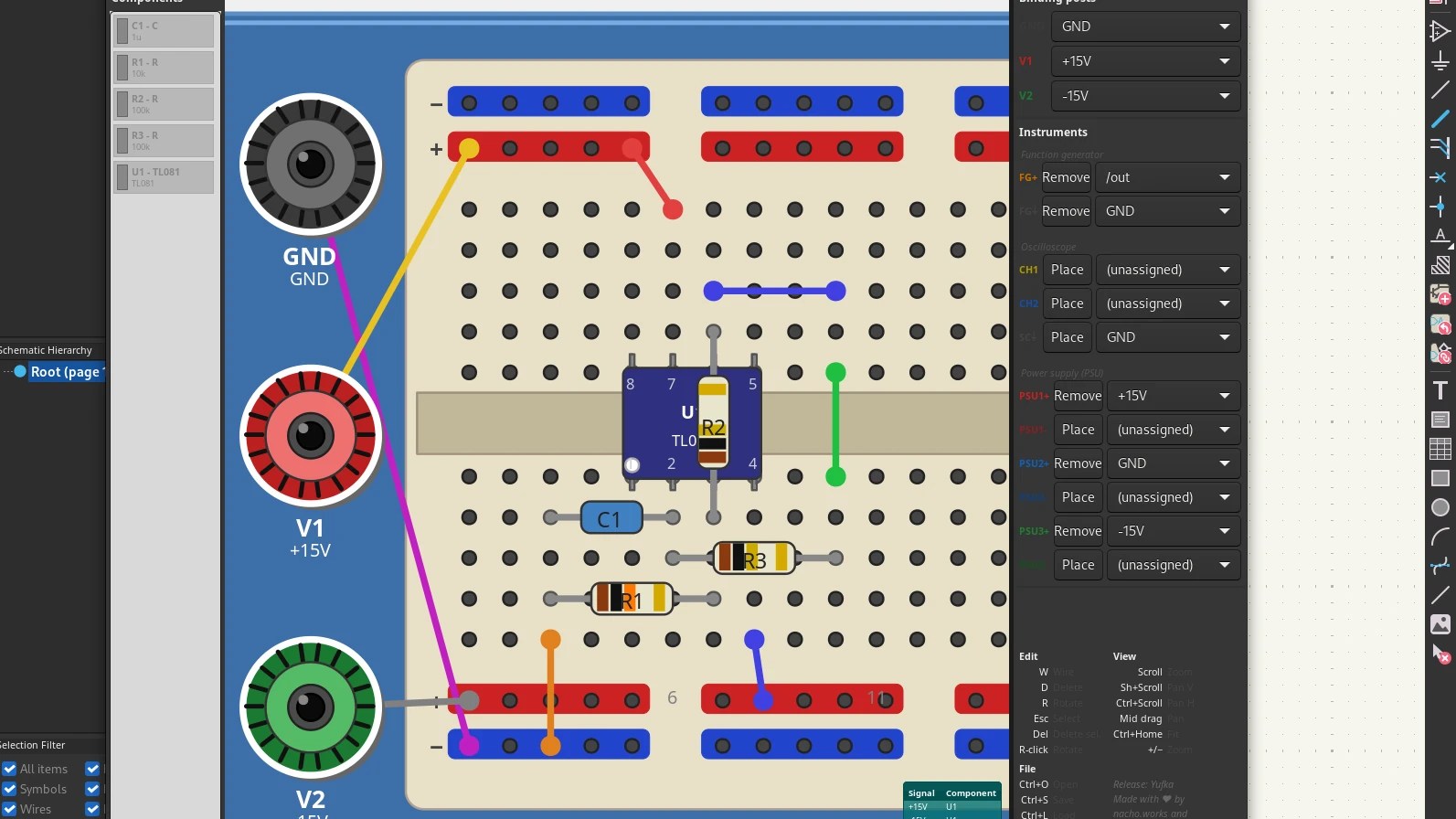
Learning electronics is an exciting journey, but it often involves a frustrating reality: you need to master multiple tools just to go from concept to prototype. Many beginners start with Fritzing, a user-friendly platform perfect for visualizing breadboard layouts, only to discover they need to switch to KiCAD—the industry-standard PCB design tool—when their projects become more sophisticated. This workflow disruption can kill momentum and create unnecessary learning curves.
Enter an innovative solution: a new KiCAD plugin that brings breadboarding capabilities directly into KiCAD itself. This game-changing tool eliminates the need to bounce between applications, allowing makers and students to design, visualize, and iterate all in one environment.
What makes this plugin so valuable? First, it preserves the intuitive breadboard visualization that newcomers love about Fritzing, while leveraging KiCAD's professional-grade capabilities. Users can sketch out their circuits with familiar breadboard graphics, then seamlessly transition to schematic design and PCB layout without starting from scratch. It's the best of both worlds.
The plugin demonstrates a crucial principle in tool design: meeting users where they are. Electronics learners don't need to abandon the comfort of breadboard layouts; they need to grow into more advanced work naturally. By bridging this gap, the plugin reduces cognitive load and accelerates the learning process.
Beyond education, this integration benefits prototypers who work iteratively. Quick breadboard mockups can inform design decisions before committing to schematic layout. Engineers can test ideas faster and validate concepts more efficiently. It's a workflow enhancement that addresses real pain points in the design process.
The KiCAD ecosystem has always been about democratizing professional electronics design. This breadboarding plugin continues that mission by removing barriers to entry and streamlining the path from hobbyist to serious maker. Whether you're teaching electronics, learning the ropes, or building your next project, having integrated breadboard capabilities transforms how you work.
For anyone currently frustrated with tool-switching or intimidated by KiCAD's learning curve, this plugin offers an elegant solution. The future of electronics design is increasingly about integrated workflows, and this innovation shows we're heading in the right direction.
No comments yet. Be the first!